

Income
Retiring does not necessarily mean that you're no longer bringing in money. Sometimes, you may have income during some years of your retirement. Example sources of income include:
- rental property cashflow
- selling a home
- social security
- a pension
- a side job
- a profitable side project
- inheritance
Adding Income
To add Income, begin by expanding the "Income" section of the Configuration section of FI Calc. You can add as many income sources as you would like.
Click the "Add Income" button to open a window that lets you configure your income.
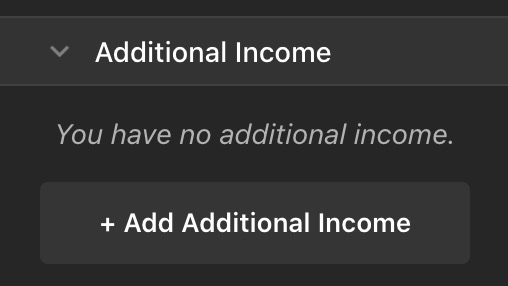
The income form before any income has been added. Click "Add Income" to add your first income.
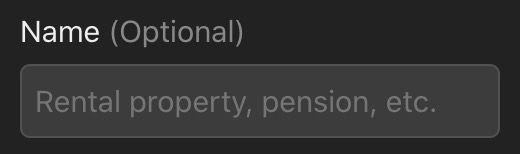
Name
You may choose to label your income. Providing a name can help you to stay organized when you have multiple income sources. Providing a name is optional.
Annual Amount
Income is considered annually. If you receive your income on a more frequent schedule, then you should add up the total amount that you expect to receive in a year and enter it here.
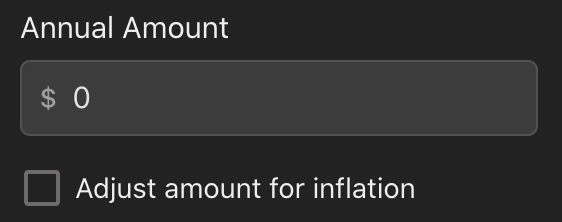
Use this input to enter the annual value of your Income.
Income at monthly frequencies is not currently supported.
Adjusting for Inflation
Over time, the dollar tends to afford you fewer and fewer things. This tendency is called inflation. You may know that some of your income sources will be adjusted for inflation. For example, you may have a job that gives you a raise each year to match inflation.
If your income should be adjusted for inflation then you should check this checkbox.
Check the checkbox to adjust the income for inflation.
By default, inflation begins accumulating immediately, even when you specify that the income does not begin after a number of years.
You can change this so that inflation adjustments are only made after the income starts. To do this, change the "Begin adjusting for inflation" dropdown from "immediately, at the first year" to "only after income starts."
Income Frequency
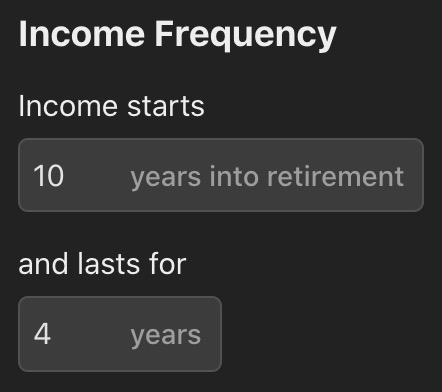
FI Calc supports complex income frequencies. For example, you may know that you plan to take 3 years off, and then get a side job for a couple of years.
Use the "Income Frequency" section to specify when you want your Income to begin, and for how long.
You may also specify that an income lasts forever. This might be useful for some income streams such as Social Security or a pension.
Modifying an Existing Income
To change an Income source, open the three-dot menu on the right side of its summary and choose "Edit." Make your changes, then click Save.
Disabling One or More Income Sources
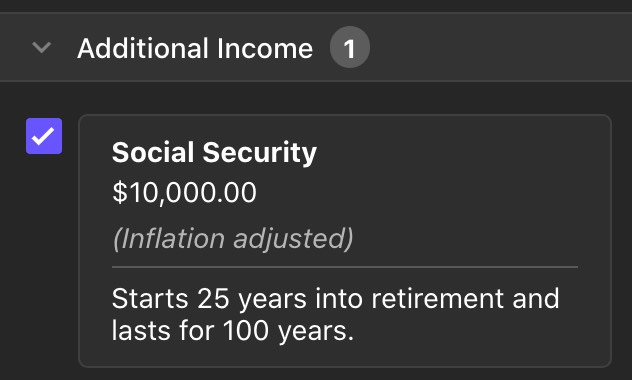
You can temporarily disable an income source, which will re-run the same calculation without factoring that income in.
This can be useful to quickly see the impact of different income sources on your portfolio. Maybe you're considering getting a part time job, but you're not committed to it. Or maybe you wish to see how much impact your Social Security estimate has on your success rate.
Disabling income is a quick way to "turn off" income while still allowing you to add it back into your calculation should you decide to.
To disable an Income, uncheck the checkbox next to the income in the Configuration pane.
Deleting Income
Open the three-dot menu on the right side of the income's summary, choose "Delete," and confirm in the window that appears. You can cancel without removing the income.
Effect on Withdrawals
Income reduces your total withdrawal for the year.
This is best shown with an example: consider a year where you planned to spend $40,000 of a $1,000,000 portfolio. Without any income, you would up with $960,000 remaining in your portfolio (before gains, fees, and so on).
If you have an income of $10,000 that year, then your portfolio will instead end up as $970,000. This is equivalent to spending $30,000 for the year instead of $40,000.
How to Increase Spending With Income
The behavior described above explains how income reduces your withdrawal. If you instead wish to increase your spending when you receive income, then you can simply omit the income from this calculator altogether.
This may seem counterintuitive, but this calculator measures your portfolio over time, and not your spending. That's why withdrawals are called "withdrawals" and not "spending."
If you receive $10,000 and immediately spend it, then it never touches your portfolio and therefore has no effect on the calculations performed by this calculator.